CX in heavy equipment: From sales to aftercare with Dynamics 365

In the heavy equipment industry, the sale is just the starting point of a much longer, higher-stakes customer relationship. Buyers of excavators, loaders, tractors, and other capital-intensive machinery expect not only a durable product but also proactive service, reliable parts availability, and ongoing support across a multi-year lifecycle. According to a major consulting group report, industrial companies that invest in post-sales customer experience can see 15–25% improvement in customer satisfaction and a 10–20% boost in service revenues. Yet many manufacturers still rely on fragmented systems for managing this critical aftercare phase. This is where Microsoft Dynamics 365 emerges as a transformational platform one that can help unify the entire customer journey from first interaction to final field service visit. The complexity of CX in heavy equipment Unlike fast-moving consumer goods or SaaS offerings, heavy equipment manufacturers must manage: With rising customer expectations and increasing operational complexity, traditional CRM and ERP systems fall short in enabling seamless, personalized customer experiences. Unified customer journeys with Dynamics 365 Dynamics 365 offers a modular yet integrated approach to delivering end-to-end customer experiences in the heavy equipment domain. It brings together Sales, Customer Service, Field Service, and Supply Chain modules, offering a single view of the customer and equipment history. Here’s how it transforms each stage of the customer’s lifecycle: 1. Smarter sales engagement – Dynamics 365 Sales helps OEMs and dealer networks: Sales teams can personalize quotes, forecast demand more accurately, and deliver proposals that are not just technically accurate, but also value driven. 2. Seamless delivery & onboarding – Once an order is confirmed, Dynamics 365 Supply Chain Management ensures coordinated delivery and setup, while integration with project operations supports complex build-to-order configurations. Customers get visibility, and teams stay aligned from the factory to the field. 3. Proactive after-sales service – As per research, B2B companies that deliver superior experiences grow revenues 4–8% above from the market. With Dynamics 365 Field Service, manufacturers can: This not only improves first-time fixed rates but also builds long-term customer loyalty. 4. Frictionless parts & warranty management – A major point of pain in the industry is parts availability. Delays can mean weeks of downtime. Dynamics 365 enables: It empowers service teams to act fast and keep equipment running—minimizing losses for customers. Beyond transactions: Building long-term relationships True digital CX is about anticipating needs and delivering value at every stage. With Dynamics 365 Customer Insights, manufacturers can build 360-degree views of customers and equipment which helps in personalizing marketing campaigns, renewal offers, and service plans. Instead of reactive support, OEMs can now drive predictive customer engagement, enabled by real-time data. Advaiya’s approach: Making it practical and scalable At Advaiya, we support heavy equipment companies unlock the full potential of Dynamics 365 and technology as a whole by using Peripheral Automation which is our in-house developed framework recognized by Microsoft and other major institutions. For organizations navigating complex product and service portfolios, successful digital transformation depends on strategic implementation partners who understand both the tech and the industry with: Our Peripheral Automation framework ensures that innovation happens without disturbing existing enterprise architecture and operational chaos. Time to rethink customer experience The heavy equipment industry is entering a new era where customer experience is no longer a “soft metric,” but a strategic differentiator for the organization. With Microsoft Dynamics 365 and the right implementation partner, manufacturers can modernize how they sell, service, and support – turning buyers into lifelong brand advocates. Looking to explore a pilot initiative? Start small, validate fast, and scale with confidence. The future of CX in heavy equipment starts today with connected, intelligent systems built for long-term success.
How global manufacturers can dive project efficiency across plants

In the world of global manufacturing, managing complex, multi-site projects can often feel less like strategic coordination and more like herding cats. For large manufacturers operating across geographically dispersed plants, like those in the heavy equipment and industrial machinery sectors, the challenges are immense. Teams operate in silos. Updates live on disconnected spreadsheets. Communication lags. By the time issues are escalating, it’s often too late and what started as a simple delay can spiral into full-blown disruption. According to a report on advanced manufacturing only 30% of large-scale industrial projects finish on time and within budget. The root cause? Lack of integrated visibility and inconsistent execution processes across plants and functions. The challenge: Complexity without cohesion Whether you’re launching a new product line, retooling a facility, or coordinating global supply chain projects, the operational landscape is a maze: In industries like heavy equipment manufacturing, where project timelines directly impact delivery schedules, cost margins, and customer satisfaction, this lack of coordination is not just inconvenient but its risky The solution: Centralized Project Intelligence with Microsoft Power Platform At Advaiya, we help manufacturers transform project chaos into clarity using our Project Progress Tracker and Work & Operations Management solutions built on Microsoft Power Platform and tailored specifically for multi-plant coordination by using our Peripheral Automation framework. These solutions empower organizations to: Through centralized dashboards powered by Power BI, executives and plant managers can track project health, progress, and blockers all in real time. Using Power Apps and Power Automate; we help you define consistent project workflows – while still allowing for localized flexibility. This ensures repeatable success across geographies and reduces the “reinvent the wheel” syndrome. Routine updates, approvals, escalation alerts, and documentation can all be automated. Your teams spend less time chasing data and more time solving problems that matter. By integrating operational data, we can surface early warning signs – whether it’s a supplier delay, equipment issue, or resource constraint. This helps avoid downstream disruptions and enables proactive interventions. What makes Advaiya & our approach different: Our Peripheral Automation framework ensures you don’t have to rip and replace your existing systems to achieve transformation. We work alongside your current infrastructure, layering intelligence and visibility without disruption. Key features of our approach include: Our deep partnership with Microsoft and our experience across manufacturing, engineering, and capital-intensive industries ensures that we speak your language from Gantt charts to cost codes. Why It matters now According to research conducted in 2024, over 70% of industrial leaders identified cross-plant visibility and coordination as their top digital priority up from 52% in 2022. As supply chains become more volatile and production timelines tighter, manufacturers need systems that empower decision-makers with the right data at the right time. Moreover, as ESG, compliance, and efficiency expectations grow, leadership teams need auditable, transparent, and measurable project execution frameworks that can scale. Start with one high-impact project Change doesn’t have to be overwhelming. We typically recommend starting with one plant or a critical project implementing our project tracking and work coordination system with minimal IT lift. Once validated, it can be scaled across locations and departments. Clients who’ve adopted this approach report: Bringing order to your operations Managing projects across multiple plants shouldn’t feel like firefighting. With the right visibility, automation, and standardization, it becomes a strategic advantage. At Advaiya, we’re not just offering tools, we’re offering a smarter, more agile way to run industrial projects with confidence. Let’s start with a single use case. See the results. Then scale. – Because in global manufacturing, clarity isn’t just power, it’s progress.
Implementing Row Level Security and bookmarking for Live Azure Analysis model in Power BI Embedded – II

Power BI Embedded is a powerful tool that allows developers to embed interactive reports and dashboards directly into their applications. One common feature many users look for in embedded reports is the ability to save bookmarks. Bookmarks are a great way to save the state of a report or dashboard, allowing users to easily return to that view later. This can be particularly useful for reports with many filters or interactions, enabling users to quickly jump back to a specific view they were interested in. Scenario In one of the implementations for our customers, there was a requirement to retain the bookmark in the embedded report and make it available to the end user (partner) every time they navigate the app, regardless of browser type and device. Pre-requisites: Conclusion: Embedded Power BI reports .NET application to display the Power BI embedded reports. SQL Server to manage/store the custom bookmarks 1. Create the Report or Dashboard The first step is to create the report or dashboard. This can be done using Power BI Desktop or the Power BI service. These reports or dashboards must be embedded in the application. 2. Add the Visuals and Interactions Once the report or dashboard has been created, add the filters, visuals, and interactions that you want to include in the bookmark. 3. Create Bookmarks To capture the current state of the Power BI report, use the built-in capture, which is present in the Bookmarks Manager defined in the powerbi.js. The JavaScript file of Power BI can be downloaded from the link. This holds the current state of the report in the form of a very large base64 This token would then be stored in the database and will be used every time the reports with the same visual are opened. Using the Ajax call, the information related to bookmarks like displayName, state, and the internal name (created so that we can differentiate between multiple bookmarks with the same name) and session-related details like current user ID and report ID on which bookmarks have been created can be saved in the database. Click on the “Bookmark” icon in the “Visualizations” pane to create a new bookmark. Give your bookmark a name and click “Add.” Repeat this step for each bookmark you want to create. You can now save these bookmarks in the table using Ajax call. There is a built-in function in JavaScript of Power BI named capture, which captures the current state of the report. The table to store the personal custom-created bookmarks can be saved in the table whose schema is defined. Id Int Primary Key Name Nvarchar (50) Name of the bookmark DisplayName Nvarchar (50) Display the name of the bookmark visible on the page State Nvarchar (MAX) State of the Power BI report, which holds the saved information of the report. This will be used to apply changes to the Power BI report through JavaScript. ReportId Nvarchar (50) Guid of the report UserId Int UserId of the logged-in user 4. Get Bookmarks When the embedded report is displayed on the browser, we can get the respective bookmarks created by the specific user for that report. To get the information on those bookmarks again, an Ajax call can be used. To fetch the information of the bookmarks coming from the Power BI service, use the bookmarksManager.getBookmarks() function, which is defined in the powerbi.js. The bookmark object consists of 3 items, namely, Name: Unique name of the bookmark. Display Name: Name which would be visible to the user on the browser. State: A Base64 string that holds the information of the filters and visuals of the report/dashboard. 5. Apply the Bookmarks To apply the changes in the Power BI report, use the function applyState in the bookmarksManager. The function applyState is responsible for changing the state of the report when bookmark state is passed as the parameter. Using the following steps, one can easily retain the bookmark in the embedded report.
Streamline Your Construction Projects with Microsoft Dynamics 365 Business Central

As the construction industry has grown, so have the requirements for managing projects and assets. Managing construction projects involves many complex tasks, such as project management, resource management, budget, and finance management. Construction projects are complex and managing them effectively can be challenging to keep everything organized and running smoothly. Fortunately, technology can help streamline construction projects and make them more manageable. Although spreadsheets and custom software solutions have been used in managing projects, there is still a chance of error, especially when dealing with multiple related projects or projects with unique needs. Therefore, construction firms are looking for integrated business management solutions, like Dynamics 365 Business Central, to ensure high-quality predictable outcomes. Microsoft Dynamics 365 Business Central is a cloud-based enterprise resource planning (ERP) solution that offers a suite of powerful tools to manage finances, operations, and customer relationships. Microsoft Dynamics 365 Business Central has improved its financial and project accounting capabilities, including budgeting, estimation, and other tasks that can help construction firms improve their management competency. It is specifically designed for small to medium-sized businesses and provides a complete end-to-end solution for managing various business processes. Here are some of the ways in which Microsoft Dynamics 365 Business Central can help construction companies streamline their projects & manage their projects more efficiently: Resource Planning: Construction projects involve managing multiple resources such as equipment, labour, and materials. Business Central offers features such as resource planning and scheduling that enable construction companies to optimize their resources and ensure that they are being used efficiently. With the ability to schedule and assign resources, construction companies can avoid overbooking and underutilizing resources, reducing costs, and improving project efficiency. Financial Control: Construction projects can be expensive, and managing finances effectively is critical to the success of any construction project. Business Central offers robust financial management features such as accounts payable, accounts receivable, general ledger, and more. The solution enables construction companies to manage their cash flow, track expenses, and generate accurate financial reports. By having a clear view of their financials, construction companies can make informed decisions and avoid financial surprises. When it comes to cost, time, and control over the project, Business Central allows easy access to methods like Budget Vs Actuals, Estimated Cost to Complete, Cash Flow, and other aspects of measuring and monitoring finances. Moreover, it allows transparency to the project stakeholders when it comes to precise decision-making on project deliveries by building reports and dashboards with Power BI. Business Central keeps track of the financial aspects of projects, including budget vs. actual, cost estimate Maintain G/Ls, budget-actual, cash flows, cost of completion, and other crucial financial KPIs. Monitor and measure financial information with Power BI dashboard and reports to complete and P&L reporting. Inventory Management: Construction companies need to manage their inventory effectively to ensure that they have the necessary materials and supplies to complete their projects. Business Central offers powerful inventory management features that enable construction companies to track inventory levels, monitor usage, and reorder materials as needed. By having real-time visibility into their inventory, construction companies can avoid stockouts and delays in their projects. Project Management: With Business Central, construction companies can easily manage their projects from start to finish. It offers features such as job costing, time and expense tracking, project planning and scheduling, and more. The solution enables construction companies to track project timelines, budgets, and resources, ensuring that projects are completed on time and within budget. With the ability to track job costs in real-time, construction companies can make informed decisions and adjust their budgets and timelines as needed. Large scale construction projects cannot compromise on the efficiency of their execution plans. Business Central enables real-time tracking of resources for improved communication within the construction unit. Reporting and Analytics: Business Central offers a range of reporting and analytics tools that enable construction companies to gain insights into their operations. The solution offers built-in reports and dashboards that provide real-time visibility into key performance indicators such as project costs, resource utilization, and inventory levels. With the ability to analyze data in real-time, construction companies can make informed decisions and adjust their strategies as needed. In addition to these features, Business Central also integrates with other Microsoft solutions such as Microsoft Office and Microsoft Power BI. This integration enables construction companies to collaborate more effectively, share data and insights, and gain a holistic view of their operations. Here are some of the other capabilities of Business Central that make it a strong candidate for construction businesses: Define time/budget constraints to manage project completion. Manage job quotes with easy-to-use job quote templates that allow checking the scope of work, take off segments, and other information that helps to create quick Job Quote Reports. Bi-directional integration with tools like MS Project for tracking of the project schedule, timely forecasting, and easy execution according to budget changes. Quick and adaptable integrations with Microsoft products as well as essential 3rd party project management applications. Streamlining change order management and workflow management Visibility to the cost procurement data at all stages of the project. Set KPIs to track net profitability related to project completion status. Enhanced sub-contract management with integrated access to project assets, maintenance modules, and overall throughput within Business Central. Estimate quality and monitor budget in real-time. Reduce operational errors and financial risks for improved execution. Track and manage revenue recognition through construction project accounting software capabilities using add-on solutions. Conclusion: Managing construction projects can be complex, and technology can help streamline the process. Microsoft Dynamics 365 Business Central offers a suite of powerful tools that enable construction companies to manage their projects more efficiently. By leveraging the power of Business Central, construction companies can improve their project efficiency, reduce costs, and deliver projects on time and within budget.
Empower Your Manufacturing Business with Dynamics 365 Business Central

In this rapidly changing manufacturing business landscape, efficiency, accuracy, and adaptability are the keys to success. To thrive in this competitive world, manufacturers need a comprehensive solution that can streamline operations, enhance decision-making, and ensure compliance. This is where Dynamics 365 Business Central comes into play. In this article, we will explore how Dynamics 365 Business Central can empower your manufacturing business, boost productivity, and drive growth. Understanding Dynamics 365 Business Central Before we dive into the specifics of how Dynamics 365 Business Central can transform your manufacturing business, let’s start by understanding what it is. Dynamics 365 Business Central is an all-in-one business management solution offered by Microsoft. The versatility of Dynamics 365 Business Central makes it a preferred choice for businesses of all sizes and across a broad spectrum of industries. This cloud-based software is designed to help businesses manage finances, operations, sales, and customer service seamlessly. Dynamics 365 Business Central’s user-friendly interface, comprehensive toolset, and transparent pricing makes it a more attractive option for many businesses. Business central manufacturing offers a clear view of your inventory, starting from when a customer orders, all the way through production, delivery, and billing. Enhancing this visibility in your manufacturing operations can lead to reduced downtime, more precise production predictions, improved quality control, and fewer disruptions in your supply chain. Streamlining Manufacturing Operations Manufacturing is a complex process that involves numerous interconnected tasks and processes. Dynamics 365 Business Central simplifies this complexity by providing a unified platform for managing various aspects of manufacturing, such as: Inventory Management: Efficient inventory management is crucial for manufacturing businesses. With Dynamics 365 Business Central, you can gain real-time visibility into your inventory levels, track stock movements, and optimize your supply chain. This ensures that you always have the right materials on hand to meet production demands. Production Planning and Scheduling: Dynamics 365 Business Central offers advanced production planning and scheduling features. You can create production orders, allocate resources, and set priorities to ensure optimal production efficiency. This minimizes downtime and maximizes output. Quality Control: Maintaining high-quality standards is non-negotiable in manufacturing. With the ability to track and monitor production processes manufacturing businesses better control the quality of their products and reduce the likelihood of defects. Enhanced Decision-Making with Real-time Insights In the manufacturing industry, timely and data-driven decisions are essential. Dynamics 365 Business Central provides you with: Business Intelligence: The software offers robust reporting and analytics tools that enable you to turn data into actionable insights. You can create customized reports and dashboards to monitor key performance indicators (KPIs) and make informed decisions. Predictive Analytics: One of the standout features of Dynamics 365 Business Central is its ability to leverage predictive analytics. By analyzing historical data and market trends, it can help you forecast demand, optimize production schedules, and plan for the future. Mobile Accessibility: In today’s interconnected world, the ability to access data and manage operations remotely is a significant advantage. You can access the software from any device with an internet connection, enabling you to monitor and manage your manufacturing processes even when you’re on the go. Ensuring Compliance and Regulatory Adherence The manufacturing sector is subject to various regulations and compliance requirements. Dynamics 365 Business Central assists you in: Compliance Management: You can configure the software to adhere to industry-specific regulations and compliance standards. This ensures that your manufacturing processes and products meet all legal requirements. Traceability: With robust traceability features, you can track the origin of raw materials, monitor production processes, and maintain comprehensive records. This is particularly valuable in industries with stringent traceability requirements, such as the food and pharmaceutical sectors. Scalability and Adaptability As your manufacturing business grows, you need a software solution that can grow with you. Dynamics 365 Business Central offers: Scalability: The software is highly scalable, allowing you to add new users and functionalities as your business expands. This eliminates the need to invest in a new system every time you experience growth. Customization: Every manufacturing business is unique. Dynamics 365 Business Central can be customized to align with your specific workflows, ensuring that it fits seamlessly into your operations. Cost Efficiency and ROI Investing in technology should yield a positive return on investment (ROI). Business Central for Manufacturing is built to scale as the business grows. Businesses won’t have to switch systems with their growth if they implement Business Central Manufacturing. Dynamics 365 Business Central offers: Cost Control: Business Central helps reduce the need for additional labour, tools, and associated costs by automating many processes in your business system. This helps in reducing business expenses and improving bottom line. By optimizing operations, reducing waste, and improving efficiency, the software helps you control costs effectively. Quick ROI: Many businesses report a relatively quick ROI after implementing Dynamics 365 Business Central. The time and money saved through improved processes and decision-making contribute to a rapid payback period. Conclusion In conclusion, Dynamics 365 Business Central is a game-changer for manufacturing businesses. It empowers you to streamline operations, make data-driven decisions, ensure compliance, adapt to changing circumstances, and achieve cost efficiency. By embracing this comprehensive solution, you can take your manufacturing business to new heights of success. Business Central Manufacturing is an ideal solution for manufacturers who want to optimize their operations, get enhanced quality control, and reduce costs. Business Central brings all your business data into one place, making everything streamlined, manageable, and accessible.
Implementing Row Level Security and bookmarking for Live Azure Analysis model in Power BI Embedded – I

Scenario: With the advancements in technology and the advent of new use case scenarios comes the need to implement new and different methodologies. In this blog, we are going to talk about one such scenario. This blog is divided into two parts – one dealing with configurations on the side of the cloud, analytical, and reporting tools, and the other on the application built and use of tokens generated from the previously mentioned tools. The scenario we are dealing with is that we have an Azure SQL database from which there is a need to create Power BI reports and view them in a custom application built on .NET core. The database contains data from different companies, and hence, there is a requirement to create a company-based filtered report. But the reports should be live and optimized, and therefore comes the need for a middle layer like the Azure-based analysis services where all the data pre-processing, modeling, and shaping is performed, and a live connection is built to Power BI Desktop where visualization happens. Also, row-level security in Power BI reports must be implemented for company-based filtering. But the problem here is when there is a live Azure Analysis services connection in Power BI, row-level security cannot be implemented in Power BI Desktop using the normal routine process of USERPRINCIPALNAME(). Also, this row level security should be visible in the embedded Power BI report in the application. This article discusses the approach followed to implement this complex but-if scenario. Pre-requisites: Microsoft Power BI Desktop (preferably 64-bit should be installed) Azure Subscription Azure Active Directory (AD), where user emails are stored, will be used in Row Level Security (RLS). Azure app registration for Azure AD app. Azure Analysis services instance with a developer edition, which is the basic license required. In the Azure analysis services instance, the AD app should be the admin. A .NET framework/core. A Power BI service account/workspace Embedded license or PPC license. Visual Studio with SSDT toolkit. 9. In Visual Studio, to create Analysis services models or Tabular models as per the vocabulary of a developer, there is a requirement to install its SQL Server Analysis Services. The steps here are: Open Visual Studio and select Continue without Code Click on Extensions and select Manage Extensions. In the Visual Studio Marketplace, search for Analysis services and install the extension if not installed. 10. A dataset on which dynamic row-level security needs to be applied. 11. Microsoft excel for testing the dynamic row level security. Azure Analysis Steps: Open Visual Studio and create the tabular model with different data sources. There should be a table or column in which email id’s should be provided. These email id’s should be a part of the Azure Active Directory. Create an Azure AD app by going to app registration and include this app id as part of the Azure Active Directory. This will act as the service principal for our Power BI workspace. In Visual Studio, right-click on Roles. 5. In the role manager pop-up window, provide the name of the role and define the appropriate permissions. 6. In the same pop-up window, under the role details, in the row filters, type the DAX expression against the table in which the row-level security needs to be applied. The DAX expression will be applied on the column and would be as below: = table_name[column_name] = CUSTOMDATA() 7. Then click on the members section and click on Find Users. 8. A Microsoft pop-up box will open, prompting the user to log in. Login with ID, which is a part of the Azure Active directory. Type the name of the user, click on search, and then click add. 9. Once the login is completed, search for the users/groups which need to be included for row-level security implementation. Also include the AD app created here. 10. Once completed, click on the OK button. 11. Once completed then in the solution explorer, right click and select properties. Provide the server name which the Azure based analysis server on which the model needs to be deployed. Also, provide the database in case the user does not want the solution name as the database name. Click OK. 12. Once done, in the solution explorer, right click and select deploy. It will prompt the user to enter credentials. Complete the sign in and let the model deploy. Once completed, click on Close. Power BI Steps: 1. Once the deployment is complete, open the Power BI and go to Get data and search for azure analysis services. A pop-up window will open to type in the server name and select the connection mode. Select Live and click OK. It will open Microsoft authentication window. Authenticate the credentials and click OK. Select the model and select OK. 2.Create the report as needed. 3.Publish the report in the workspace which has the Embedded license or PPC license. 4.Open the Power BI workspace on the Power BI service and go to manage access. The service principal i.e. AD app needs to be added as the admin of the workspace. .NET Application: 1. Open Visual Studio and create a new ASP.NET web application project. (This article uses the ASP.NET framework; however, this can be built on any other .NET framework as well.) 2. To display the Power BI report, an embed token needs to be generated. This can be accomplished using the function GenerateToken, which is present in the namespace Microsoft.PowerBI.Api. In this function, the parameters that are required to pass include Power BI workspace/group ID, Power BI report ID, and a token request. 3. The token request can be created using the function GenerateTokenRequest, which uses the parameters – the Power BI report access level, which can be (View/Edit/Create) and the dataset id. This function is present in the namespace Microsoft.PowerBI.Api.Models. 4. To display the Power BI report using row level security (RLS), an EffectiveIdentity object needs to be created using the in-built function EffectiveIdentity() which is defined in the
Scaling Business Operations with Microsoft Dynamics 365 Business Central

In the ever-evolving realm of modern business, maintaining a competitive edge demands a finesse for adaptability and the art of efficient operational orchestration. Microsoft Dynamics 365 Business Central is a powerful solution that empowers businesses to scale their operations seamlessly. This article delves into the various aspects of scaling business operations with Microsoft Dynamics 365 Business Central, exploring its capabilities, benefits, and practical implementation. Understanding the Need for Scaling Before we dive into the specifics of how Microsoft Dynamics 365 Business Central can help scale your business operations, let’s explore why scaling is crucial. The Growth Dilemma Many businesses face a common challenge: growth. While growth is a positive sign, it often brings along operational complexities that can hinder progress. As a business expands, so do its operations. More customers, increased inventory, and a growing workforce can strain traditional systems, leading to inefficiencies, errors, and missed opportunities. To address these challenges, businesses need a robust solution like Microsoft Dynamics 365 Business Central. The Power of Microsoft Dynamics 365 Business Central Microsoft Dynamics 365 Business Central is an all-in-one business management solution designed to streamline operations, drive growth, and adapt to changing business needs. Let’s explore the key features and benefits that make it a game-changer for scaling business operations. The Power of Microsoft Dynamics 365 Business Central 1. Key Features for Business operations: Microsoft Business Central streamlines and integrates various business functions. It is a central hub for managing financials, supply chains, sales, and customer relationships. Business Central eliminates the need for separate, disparate systems by providing an all-in-one solution that can be accessed securely from anywhere at any time. Integrated Financial Management: Business Central provides a comprehensive financial management platform, allowing you to efficiently manage your company’s finances. From accounts payable to receivable, it offers real-time insights and automates financial processes, reducing errors and improving accuracy. Inventory Optimization: Managing inventory effectively is critical for scaling operations. Business Central provides tools for tracking inventory levels, demand forecasting, and order management. This ensures you have the right products in stock to meet customer demands, minimizing stockouts and overstock situations. Streamlined Sales and Customer Relationship Management: Scaling your business often means engaging with a larger customer base. Business Central’s CRM capabilities help you nurture customer relationships, track sales opportunities, and provide exceptional customer service. This leads to increased customer satisfaction and loyalty. 2. The Flexibility of Business Central: Business Central is incredibly flexible, fitting the needs of businesses of all sizes. It can adapt, customize, and grow with your company, ensuring it remains a valuable tool in an ever-changing business world. Integration with Other Microsoft Cloud Services: Business Central seamlessly integrates with other Microsoft Cloud services. This integration enables businesses to leverage the full power of the Microsoft ecosystem. For example, users can access Business Central data directly from Microsoft Outlook or leverage Power Platform to build custom applications and workflows. Scalability and Customization: One of the key advantages of Business Central is its scalability. Whether you’re a small startup or a large enterprise, this solution can adapt to your needs. Furthermore, it’s highly customizable, ensuring that it aligns perfectly with your unique business processes. App Marketplace and Ecosystem: Business Central benefits from a thriving app marketplace and ecosystem. Businesses can explore a wide range of pre-built extensions and add-ons to enhance the functionality of Business Central. The app marketplace allows businesses to adapt and expand their ERP system as their needs evolve. 3. Enhanced Business Intelligence: Data is the lifeblood of modern businesses. Business Central offers robust analytics and reporting tools, allowing you to make data-driven decisions. Identify trends, spot opportunities, and optimize your operations for growth. Integration with Power Platforms: Business Central seamlessly integrates with other Microsoft platforms like Power Platform to build custom applications and workflows. The pre-designed integration with Power BI Platform ensures seamless dataflow for enhanced reports generation and attractive dashboard and MIS reports for informed decision-making. Predictive Analytics: Harnessing the power of machine learning, Business Central can predict future trends and outcomes based on historical data. This predictive capability aids in proactive decision-making, optimizing inventory levels, and identifying sales opportunities. Advanced Analytics and Reporting: The platform offers advanced analytics and reporting tools, allowing users to create customized dashboards and reports. Whether you need financial reports, sales performance metrics, or inventory analysis, Business Central provides the means to generate them effortlessly. 4. Cloud-Based Accessibility: In today’s digital age, accessibility is crucial. With Business Central’s cloud-based architecture, you can access your business data and applications from anywhere, on any device. This flexibility enables remote work and supports global expansion. According to Gartner, by 2025, 80% of enterprises will have shut down their traditional data centers, opting for colocation, hosting, and cloud-based solutions. Fortunately, with the rise of cloud computing, businesses can leverage cloud-based solutions to achieve unparalleled flexibility as specified below: Access from Anywhere, anytime: One of the primary advantages of cloud-based accessibility is the ability to access critical business data and applications from virtually anywhere, at any time. Business Central leverages the cloud to provide this flexibility, enabling employees to work remotely and stay productive. Automatic Updates: With Business Central in the cloud, you no longer need to worry about manual software updates and patches. Microsoft handles these updates, ensuring that your system remains secure and up to date. Cost-Efficiency: Cloud-based solutions like Business Central eliminate the need for substantial upfront hardware investments. Instead, you pay for what you use, making it a cost-efficient choice for businesses of all sizes. 5. Security and Compliance: Protecting your business data is paramount. Business Central offers robust security features and helps you stay compliant with industry regulations, giving you peace of mind as you scale your operations. Role-Based Permissions: Not all users within an organization need access to the same data and functionalities. Business Central implements role-based permissions, allowing administrators to define access levels for each user. This restricts unauthorized access to sensitive information. Audit Trails: To maintain transparency and accountability, Business Central keeps detailed audit trails. These logs
How corporations are embracing sustainable practices by leveraging data
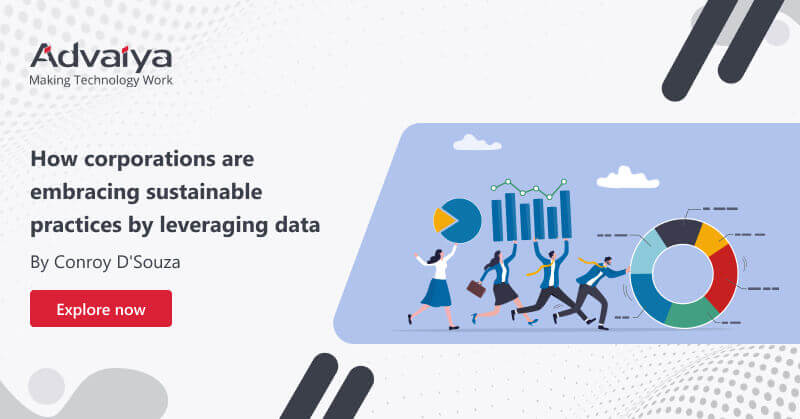
Transparency and accountability are at the core of data integrity. Sustainability refers to integrating these two factors in order to support business growth, manage risks and enable companies to find their place in society. Businesses can utilize the SDGs (Sustainable Development Goals) as a guideline for managing economic, environmental, and social risks while improving their position within their industry. Business models incorporating the SDGs are expected to create at least US $12 trillion worth of opportunities by 2030 and up to 380 million jobs. Today's ecosystems require action. Left unaddressed, environmental and social issues can inhibit an organization's ability to expand. Supply chain inefficiencies lead to additional expenses; by 2026, businesses may bear US $120 Billion of direct costs from environmental risks in their supply chains alone; manufacturing, food, beverages, agriculture, and electricity generation will all bear their burden most heavily. How can data analytics contribute to sustainable development? Sustainability is about knowing your business’ impact and purpose. But you need the right data and technology to take action. Analytics and business intelligence can be used to help businesses make better decisions. They will become more proactive, transparent, and accountable. Big Data for sustainable development seeks to collect and cross-correlate physical components such as weight and volume of recyclable and non-renewable inputs used in production, percentage of recycled materials utilized, hazardous and nonhazardous waste generated, the disposal methods utilized, CO2 emissions, etc. into meaningful insights for analysis and action. Data are extracted for interactive visualization by utilizing advanced data analytics solutions. Examining all these datasets together helps avoid geopolitical conflict, understand employee behavior during unexpected mishaps during the operations as well as improve understanding of vulnerability and resilience. Opportunities data analytics offers to business leaders: Data analytics and visualization tools are prevalent across a wide range of industries, from government, e-commerce, manufacturing, EPC, hospitality, and transportation to healthcare. Data can be leveraged for applications including consumer profiling, individualized prices, marketing/advertising efforts, as well as predictive analysis. Firms today face the daunting challenge of striking a balance between long-term viability and profit maximization goals. Data plays an essential role in the decision-making process and accountability – big data analytics has now become part of marketing, advertising, and management practices. Consumer profiling, personalized services, and predictive analytics are standard practices within the private sector, but similar digital transformation solutions could also be utilized in humanitarian relief to track real-time information on well-being among individuals and target humanitarian aid to those in need. New data sources such as satellite data, technologies, and analytic tools should be utilized responsibly in order to facilitate more rapid, agile decision-making based on evidence while simultaneously broadening and improving monitoring progress toward meeting Sustainable Development Goals. Data analytics offers companies an invaluable way to gain an in-depth view of their environmental footprint and identify areas for improvement before taking steps toward reaching sustainability objectives. There are numerous examples of how data analytics solutions can be utilized to support sustainable development. By harnessing data analytics, companies can gain invaluable insights into their environmental impacts, pinpoint areas for improvement and take strategic actions to meet their sustainability objectives. Supply chain analytics for sustainable initiatives A supply chain is a group of parties that exchange material and information in order to fulfill a customer’s request. Supply chain analytics offers types of tools that help companies use the data generated by their systems to gain insights and optimize operations. Data analytics for a green transformation Logistics operations often emit carbon footprints that can have a negative impact on the environment. Descriptive data analytics tools can help organizations reduce the Co2 footprint by optimizing the frequency of deliveries. With the right data analytics tools, logistic businesses can get information on all the routes and traffics depth, and these actionable insights help managers to visualize and find the optimal route that reduces travel distance and frequency and cut carbon emissions. How does Advaiya enable businesses to transform their business models? Advaiya's consultants stand at the intersection of data science, business strategy, and sustainability. We currently offer data-driven insights and analytics solutions based on products like Microsoft Power BI, which utilize artificial intelligence as the power behind transformational change. We can provide customized Power BI dashboards and reporting solutions designed to facilitate ESG (environmental, social, and governance) insight across multi-brands, markets, and portfolios allowing companies to visualize, track and pilot all ESG insight in one convenient location. It ranks their efforts towards moving from ESG reporting to long-term impact measurement. Businesses using this sustainable business intelligence platform can see at a glance how to move beyond greenwashing; and evaluate positive impacts from activities including carbon intensity reduction, decarbonization initiatives, science-based pledges, and business goals, as well as sectoral trajectory analyses and simulation of future actions/commitments made. Our tailored BI dashboard offers a suite of data-driven sustainability tools, from analysis of all unstructured text and data documents that report on climate and environmental issues relevant to your business, from corporate websites, activist websites, news media reports, financial analysts' reporting to social media posts and content from social networks such as LinkedIn or Facebook. With this dashboard, businesses can identify where their time and resources should be invested for maximum impact while knowing where not to waste time and money. This intelligence platform empowers business leaders to make more informed business decisions with knowledge on where best to invest their resources as well as what to avoid doing when investing their time in ESG measures or reporting their time on climate and environmental-related matters – saving both time and resources as well as knowing exactly where investments should be made. Final words: Time is running out for us all to make changes that benefit the environment, from changing business models and transitioning from linear economies to circular ones or decarbonizing supply chains. There’s no time to waste; now is the time for action in order to reduce our impact on an increasingly fragile ecosystem – not years later! AI and other digital technologies provide every business
This is what 99% of modern construction companies look for while planning, managing, and executing projects.

Some unanticipated global factors were a catalyst for digital transformation initiatives a few years back. Businesses of all sizes were forced to invest in new technologies to adapt to this new reality. These investments were not temporary but an answer to economic uncertainty and changing customer demands for greater efficiency, productivity, and resilience. The case is no different for the construction sector. It can be difficult for construction firms to keep up with rapidly changing technologies. It’s crucial that construction business owners understand the trends in digital transformation as they evolve because it is a critical component of such a company’s success. As customer needs change, the technology that was crucial yesterday may not be as effective tomorrow. Construction companies must be confident in their ability to adapt to the constantly changing digital landscape in order to stay ahead of the curve in digital technology advancement. What technologies are changing the construction industry? We have come up with the top digital transformation solutions that almost every modern construction business is adopting to stay competitive. Automation-driven efficiency and no-code Automation will become more popular in 2023, even though many businesses have already implemented business process automation as a result of digital transformation trends. This is to enable corporate leaders to achieve better results with fewer resources. This will help them to drive efficient growth, improve productivity, and generate cost savings. Mobile apps to worksite access Construction industry mobile applications allow for worksite access like no other. This includes real-time inspections and on-site accountability. Also, accurate measurements can be taken with a mobile camera. Mobile apps also offer day-to-day reporting of work progress from remote locations. One of the leading EPC organizations has implemented mobile project portfolio management solutions to track QHSE Index Score and other KPIs over the period across the project portfolio. While working on-site, it can be difficult to collaborate physically between colleagues, mobile apps for worksite access have grown in popularity. For instance, Microsoft O365 offers great collaboration tools like Teams, Outlook, and SharePoint for virtual meetings for project management. Using technology to advance sustainability Sustainability is becoming a more prominent part of the construction industry. Because of the fixed nature and high energy costs of embodied CO2, as well as limited resources, sustainability is essential. Autodesk reports74% of AEC firms invest in technology to improve their sustainability. According to the report, globally, around $4.5 billion was invested in green construction technology in the last five years. Only $2.2 billion was invested in 2022. Construction management software can be leveraged to support sustainability. For instance Power BI dashboards and reports can be used to analyze the levels of gases and filter the data as per the requirements. Effective use of such tools arms construction companies with valuable information about resource usage. Augmented reality and virtual reality Virtual and augmented reality are two of the latest construction technologies. They provide visualizations. AR/VR technology was also demonstrated in numerous remote site inspections. It allows for safety, collaboration, and communication between AEC personnel. Mixed Reality technology such as Microsoft HoloLens enables construction professionals to holograms of their construction projects in their physical environment and provides a new way to execute their work. Construction project management Construction project management can be difficult for large capital projects. They are often late, over budget, and poorly executed. The following are the most common problems facing the construction industry: Repetitive reporting Multiple data systems Data that is not prioritized or organized Reporting is largely paper-based Inadequate system connectivity It is difficult for construction managers to gain deep insight across their portfolios, which can reduce on-time and on-budget performance. Microsoft Project is the leading construction project management software. Microsoft Project is a platform that allows you to plan, manage and control construction projects at any level. It’s a communication tool that gives project managers a roadmap for project execution. It helps to manage deadlines and reduce cost overruns. Government organizations are increasingly requesting MS Projects as part of the bidding process. Subcontractors too are required to submit such schedules. Construction analytics Large capital projects have high failure rates, according to observations. Construction business intelligence tools can be used to reduce risk and plan for success. Analytics in construction is becoming a popular choice for large capital project owners. Advaiya’s comprehensive construction analytics solutions help organizations combat low-performing trends. It asks the right questions of the “right people” at the “right time” to obtain meaningful insights that can be used to help clients manage and improve performance. A dashboard with real-time key performance indicators at project, portfolio, and program levels is created by the predictive analytics solution. Construction analytics software compares real-time insights to determine performance thresholds. This allows for the analysis of trends over time and transforms information into insight. This improves decision-making and project delivery. Field service automation Construction companies need to ensure that worker productivity and equipment quality are maintained at the highest level. Every construction company must manage its workers and fleet remotely because a large portion of services is performed in the field. Field service managers have lots of work to do. It should not be difficult for them to ensure that workers in the field are providing their best effort on every project. field services solutions that are reliable can be used to help construction companies reduce costs and improve customer satisfaction. Enterprise organizations can use field service automation to automate and improve their field operations, while still remaining competitive in the marketplace. It streamlines and automates all processes including dispatching, routing, and routing as well as inventory and work order management which is necessary to provide field service. This can help reduce the company’s workforce’s workload, and increase its accuracy and productivity. Last words: AECO (Architecture, Engineering, and construction owner) will continue to invest in technology to digitize their workflows and improve them in the future. This will be an investment in digital transformation for some companies — moving from excels to pixels. Others will make an additional investment