From manual errors to automated precision: Simplify GST compliance with Automated E-Way Bill App for Business Central

Navigating the complexities of GST compliance requires efficient solutions, especially when it comes to managing E-Way Bills. These essential documents streamline the movement of goods while ensuring transparency and adherence to tax regulations. However, with the strict and long GST compliances enforced today, managing E-Way Bills can often feel confusing. E-Way Bills are crucial documents for the movement of goods, ensuring tax compliance and transparency in logistics. However, their manual generation and management often result in human errors, inefficiencies, and increased operational costs. This is where we introduce the E-Way Bill App for Microsoft Dynamics 365 Business Central—a tool designed to revolutionize how businesses approach E-Way Bill generation, storage, and tracking. This app integrates seamlessly with existing systems and GSP (GST Suvidha Provider) partners, offering automated solutions to simplify the GST compliance journey. Its intuitive interface, coupled with advanced features such as real-time status updates and error-proof validations, ensures precision and efficiency. For businesses, this means not just compliance but also significant improvements in logistics and operational workflows. How to streamline GST compliance with automation? One of the most significant challenges in GST compliance is the risk of manual errors during E-Way Bill generation. These errors can lead to penalties, delays in logistics, and strained customer relationships. The E-Way Bill App addresses this by automating the entire process. With just a single click, businesses can generate E-Way Bills for both incoming and outgoing goods. The app includes unique validation controls that automatically check entries for compliance, ensuring accurate documentation every time. This automation not only saves time but also enhances productivity by freeing up resources for more strategic tasks. Additionally, real-time updates allow businesses to monitor their compliance status, keeping them ahead of regulatory requirements. Simple and user-friendly interface The E-Way Bill App for Dynamics 365 Business Central is designed with user experience in mind. Its setup is simple, allowing businesses to enable or disable features with ease based on their operational needs. Enhanced transaction lines simplify workflows further by providing direct options for E-Way Bill generation and allowing users to capture crucial details like E-Way Bill numbers directly in the system. Moreover, the app’s custom ledger ensures visibility over all generated E-Way Bills. Businesses can access detailed information, including the responsible user, E-Way Bill number, associated document type, date, and transporter details, at a glance. This centralized approach to managing E-Way Bills reduces confusion, boosts transparency, and facilitates smoother audits. How the app overcome challenges in E-Way Bill management? Before the advent of such tools, businesses faced a slew of challenges in managing E-Way Bills. The manual entry of data often resulted in errors, while the lack of a centralized system led to inefficiencies in tracking. Furthermore, handling large volumes of data was cumbersome and prone to mishandling. The E-Way Bill App tackles these challenges head-on. It simplifies the complexities of GST compliance by automating processes, reducing manual interventions, and providing comprehensive data storage and management capabilities. With features like order status tracking, users can instantly identify the progress of E-Way Bills, facilitating quicker decisions and ensuring that goods are transported without unnecessary delays. What are the key benefits of the E-Way Bill App? The E-Way Bill App offers several advantages that make it indispensable for modern businesses striving for precision in GST compliance. First, it saves time by automating the generation and management of E-Way Bills. Manual processes that took hours can now be completed in minutes, allowing businesses to focus on growth-oriented activities. Second, it enhances operational efficiency by streamlining workflows. Businesses can reduce dependency on manual efforts, cutting down on repetitive tasks and boosting productivity. Third, the app provides improved visibility into compliance activities. With features like detailed reporting and tracking, businesses can maintain accurate records and gain valuable insights into their logistics operations. Another crucial benefit is the reduction of manual errors. Built-in validation mechanisms ensure that E-Way Bills are generated accurately, mitigating the risks of penalties or compliance lapses. Additionally, the app offers seamless integration with existing logistics systems, ensuring that businesses can incorporate it into their workflows without disruptions. Customizable features designed for diverse needs The versatility of the E-Way Bill App makes it an excellent fit for businesses across industries. Whether it is e-commerce, manufacturing, or distribution, the app adapts to unique operational requirements with ease. Features like automatic numbering help avoid duplication and errors, while enhanced security mechanisms protect financial data from unauthorized access. For industries handling large-scale logistics, the app’s ability to maintain a comprehensive ledger is a game-changer. It ensures that businesses always have access to critical information for audits and regulatory reviews. Furthermore, the app supports customization, allowing businesses to tailor their functionalities to meet specific operational needs, thereby enhancing collaboration across teams. By automating repetitive tasks and ensuring compliance accuracy, the E-Way Bill App significantly enhances customer experiences. Timely generation and tracking of E-Way Bills ensure that goods are transported without delays, boosting customer satisfaction. Additionally, businesses can maintain a professional edge by ensuring transparent and error-free compliance practices, fostering trust among clients and partners. Why businesses should use the E-Way Bill App? The choice of the E-Way Bill App for Dynamics 365 Business Central is not merely about compliance; it is about future-proofing logistics and operations. With effortless integration capabilities, businesses can implement the app without overhauling their existing workflows. Its adaptability ensures that it remains relevant even as operational requirements evolve. The app’s predictive numbering and enhanced tracking capabilities set it apart from conventional solutions. It allows businesses to maintain precise records while gaining the flexibility to monitor their logistics in real-time. Additionally, the app’s emphasis on security ensures that sensitive financial data remains protected against fraud or unauthorized access. A super-app for simplifying GST compliance The E-Way Bill App for Microsoft Dynamics 365 Business Central provides businesses with the tools to automate, streamline, and optimize their E-Way Bill processes. The app is a comprehensive solution for achieving hassle-free compliance, from reducing manual errors to ensuring real-time visibility into logistics operations.
Dynamics 365 Business Central vs. NetSuite: Which is better?
We could make endless product and feature comparisons using all available platforms, but NetSuite and Dynamics 365 Business Central stand out among mid-market and enterprise businesses seeking adaptable Software as a Service (SaaS) and cloud solutions. When selecting between Oracle NetSuite and Microsoft Dynamics 365 Business Central, it’s essential to take into account your business requirements. Dynamics 365 Business Central and Oracle NetSuite are two leading cloud-based ERP solutions with similar features and functions. Which one is the better fit for your business? No simple answer exists to this question. Both systems are robust cloud-based ERP programs that many successful businesses rely on. This article will help you answer the critical question “Which ERP works best for me?” There are many differences and nuances among solutions. These will help you decide which solution is best for your company. Which is better, Dynamics 365 Business Central or NetSuite? Comparing NetSuite to Microsoft Dynamics 365, it is clear that D365 Business Central has the edge in several key areas. One of the primary advantages of Microsoft Business Central as an ERP and CRM solution is its high scalability. Dynamics 365 Business Central serves as a common application platform and data model to build solutions utilizing Dynamics 365, Office 365, Power BI, Microsoft Flow, and Power Apps. Microsoft Dynamics 365 Business Central is an all-in-one business management solution tailored to small and medium-sized organizations. It automates and streamlines processes, giving users control over their businesses. If you require comprehensive business management solutions, Dynamics 365 Business Central’s user-friendly interface and ability to adjust partnership settings make it the ideal choice – giving informed decisions with confidence! The business application integrated and utilized other Microsoft Cloud technologies, such as Office 365, Power BI, Microsoft Flow, and other Power Apps. Dynamic 365 Business Central adapts to changing business requirements by utilizing innovative technologies. NetSuite and Dynamics 365 Business Central: A discursive analysis Cost vs. functionality Business Central and NetSuite both offer digital transformation solutions tailored to small, mid-size, and large organizations. Business Central offers comprehensive enterprise resource planning capabilities at an attractive price point, making it suitable for small and mid-sized organizations. Due to its robust functionality, Business Central may appeal to some larger enterprises; however, those with deeper pockets may require more specialized ERP software solutions. The Oracle NetSuite base ERP module price is competitive with Business Central. However, adding Customer Relationship Management, Warehouse Management, or Manufacturing modules can substantially increase the cost. You may have to pay more for all the functionality once you have it. Subscription price NetSuite subscription pricing isn’t publicly available — they want you to talk to a salesperson before revealing the price, and they may offer a deep discount for a limited time in order to sign a new customer. One NetSuite partner states that NetSuite full-user licenses are $99/user/month. For NetSuite OneWorld (required for businesses with multiple legal entities), reports of the cost vary, but according to this PCMag review, it’s $999 + $99 per user per month. NetSuite customers also often tell us they need to engage in yearly contract negotiations and see their subscription prices increase by 10% or more annually. Dynamics 365 Business Central subscription pricing can be more easily and predictably arranged. Business Central Essentials costs $70 per user/month, with an annual commitment. Alternately, “Team Users” are charged $8/user/month USD with full read functionality but limited write access. Professional services vs. manufacturing and distribution Which option is ideal for your company will depend on its size, operations, and potential. Oracle NetSuite offers extensive features and premium add-ons specific to certain industries, while Microsoft Dynamics 365 Business Central specializes in product-based modules designed for manufacturing and distribution across nearly every business and industry worldwide. Dynamics 365 Business Central’s base package includes warehouse and supply chain management capabilities. However, upgrading to Business Central premium, which offers comprehensive inventory management, manufacturing capabilities, as well as field service management, can be highly advantageous for businesses. Oracle NetSuite’s ERP module is ideal for professional services organizations that require robust accounting system capabilities and project management tools. While the module includes inventory management, order management, and purchasing capabilities such as warehouse management, assembly/manufacturing operations, and demand planning require additional fees to purchase. Integration vs. suite Oracle NetSuite offers a suite solution designed to cover all areas of your business, so installing one piece of Software and working with one technology partner should be enough. But, since suite software typically covers multiple departments, its functionality may not meet individual needs. In such cases, additional applications may need to be utilized alongside your “all-in-one” suite in order to fill any gaps in capabilities. Furthermore, suite software typically does not offer easy integration with other programs since it’s intended as an all-inclusive package and thus not designed with integration in mind; rather, suite solutions tend not to offer total solutions which exclude apps outside their own platform. Business Central is designed for integration. It can be linked to Microsoft’s other solutions or third-party applications based on your requirements and preferences. Through integration, you can custom-build a software suite with just the features required in each area. Expanding capabilities as needed helps guarantee that your cloud-based Software grows along with your business needs. Design philosophy & platform NetSuite was designed with an idea that you and your company can use it the same way it was created. There are bundled solutions for many different industries, though you need to carefully check the bundle package to ensure that you’re only paying for functionality that adds value. Business Central and the rest of Dynamics 365 products are designed with the idea that your company, together with a partner, will customize a solution for your business goals and needs. Your Dynamics 365 ERP implementation partner can also continue to work with you as your business grows, bringing in other Dynamics applications and add-ons to expand your solutions and meet your needs. There’s a wide network of business solutions providers who provide implementation and support services. There
How does Microsoft Dynamics 365 Business Central aid your growing business?

Is Microsoft Dynamics 365 Business Central the right fit for your company? Discover the top advantages that D365 Business Central can offer small to medium-sized enterprises. Are your business processes expanding but your retail management system cannot keep up? Utilizing different software packages for different tasks can be tedious and time-consuming. Plus, considering the high cost of ownership with maintenance, upgrades, repairs – etc – could make things even more complicated. In contrast, Microsoft Dynamics 365 Business Central can handle everything for you in one central location! Here are some things to consider if D365 Business Central is suitable for you: Why opt for Microsoft Dynamics 365 Business Central? Microsoft Dynamics 365 Business Central (ERP software) is the industry-standard, all-in-one business management solution for managing financials, projects, operations, and reporting – with ease! Its simplicity of use, adaptability to different business sizes, and capabilities make it the go-to choice if you own or manage a small to medium-sized company or manage IT solutions for one. As an all-in-one package, it offers all of these essential capabilities at an unbeatable value. No wonder why most MSMEs choose it over other management tools when they require such superior reliability. It’s a unified software solution that utilizes the cloud and allows for greater customization. You can access it from any device, making remote work a possibility. Furthermore, this cloud based ERP solution also supports Customer Relationship Management (CRM) at once – helping you better understand your customers and boost sales! D365 can be used as a stand-in solution or integrated with other enterprise applications to support your growth. It’s perfect for small to medium enterprises. Business Central excels at automation, which encourages you to relax and take a well-deserved break. Dynamics Business Central can also assist with budget management. You don’t have to shell out for costly upfront fees like other business management software; instead, you can select a monthly subscription plan and per person. Why Microsoft Dynamics365 Business Central should be your next enterprise resource planning software (ERP)? • Microsoft Dynamics 365 Business Central makes managing and controlling expenses much simpler. Dynamics 365 Business Central is an ideal solution for small and mid-sized businesses looking to manage their cash flow. All the advantages offered by cloud ERP are accessible, such as low infrastructure investments and minimal upgrade or maintenance requirements. Plus, with Business Central you don’t need to pay a large upfront fee and monthly costs are predictable; additionally, it requires no servers, IT management, or dedicated resources – making it cheaper than other on-premise options. Best of all? Business Central can be used right out of the box so you can get up and running quickly! • Microsoft Dynamics 365 Business Central is an incredibly powerful ERP system designed to boost revenue and enhance customer satisfaction. In today’s highly competitive marketplace, it can be challenging to stand out. To increase sales, you need an innovative customer service approach. Microsoft Dynamics 365 Business Central offers tools that analyze sales cycles and assign customers according to their buying preferences – helping you build stronger client relationships while also preventing overdue bills, unpaid invoices, and bad debts from piling up. • Microsoft Dynamics 365 Business Central optimizes your supply chain management Have you ever felt overwhelmed by backorders? Inventory management can be a nightmare for employees and customers alike. Microsoft Dynamics 365 Business Central makes it simple to optimize supply and maximize warehouse area utilization. You’ll be able to offer multiple purchasing options as well as enhance production planning to guarantee a reliable supply chain. Business Central allows you to automate your entire supply chain by creating purchase orders based on sales forecasts and potential stock-outs. The templates can be utilized for optimizing warehouse space and determining where products should go. Plus, get tips and tricks that will help speed up shipping time! • CRM and ERP integration Business Central is not only an ERP system, but it also offers capabilities that can enhance customer experience and foster relationships with clients. CRM capabilities allow you to monitor customer interactions and gain insights into upsell/cross-sell opportunities throughout the sales cycle. Variable price and discount programs can be advantageous to both individuals and businesses alike. As part of customer service, you may be responsible for handling returns and after-sales matters, tracking repair details, as well as promptly answering customers’ inquiries. • One source of truth Dynamics 365 Business Central provides a single repository for all company data, spanning all departments. Your files will be securely stored and always up to date so that all employees have access to the same info whether creating financial reports or making decisions. Built-in dashboards make data viewing and analysis effortless; connected information from finance, accounting, sales, and purchasing allows for informed decisions that drive growth and development. • Project administration is simplified Implementing Dynamics 365 Business Central offers project management and financial, accounting, warehousing, and customer relationship management (CRM) capabilities. With task costing and reporting tools you can create and manage projects; plan for future sales and capacity; manage resource levels accordingly. Furthermore, you’ll have real-time data about project progress as well as other useful info to maintain profitability. • Advanced business intelligence tools to make smarter decisions Business Central features built-in AI capabilities to access, model, and analyze data across multiple dimensions. With late payment predictors and cash flow forecasting tools built right in, users will know when a payment will arrive late – giving you full control of your finances. Power BI allows users to sync data easily to create rich interactive visuals like charts, graphs, and dashboards that quickly analyze key metrics for actionable insights. • Make repetitive tasks simpler with seamless integration Dynamics 365 Business Central seamlessly integrates with Microsoft products and applications, even if your company already uses Office 365. Additionally, it integrates with Power BI dashboards from Microsoft. To further customize your cloud solution to meet your business requirements, download extensions or apps from Microsoft AppSource. • Increased employee work productivity and efficiency
Key benefits for SMBs looking to switch to cloud-based ERP solutions

Enterprise resource planning (ERP) solutions are often used by businesses to help consolidate and organize information within an organization. ERP software was traditionally installed on company servers or other infrastructure. These on-premises solutions were able to make businesses more efficient and provide major benefits. However, they are imperfect in certain areas, such as cost, agility, and maintenance. Cloud based ERP solutions solve many of the problems that are associated with traditional on-premises solutions and provide many advantages over their counterparts on-site. The key benefits of Cloud ERP software: Lower initial cost Cloud-based ERP systems are significantly cheaper than traditional on-premises systems. Additionally, ongoing costs are often lower. The subscription costs for cloud ERP software can be reduced after deployment. This is because maintenance and support costs are typically 20% of initial license costs. These costs include hardware costs, as well as the cost to upgrade and maintain the system and IT staff. These costs can be eliminated for smaller companies that cannot afford the upfront costs of on-premises ERP, even though the technology could benefit them. Simplified compliance Businesses in highly-regulated industries such as finance, healthcare, and defense must regularly update their ERP software on-site to comply with regulations. To remain compliant and avoid expensive fees and other legal consequences, companies must be able to keep up-to-date with all the latest federal, state, and international rules updates. The company must then incorporate the changes in its existing system and upgrade hardware and software as required. Cloud ERP software providers, on the other hand, are proactive in complying with international, state, and federal provisions like HIPPA, GDPR, and GAAP. These regulations and others are already integrated into cloud ERP software. They are automatically updated to ensure businesses meet or exceed compliance requirements. Cloud ERP software often includes localization functionality, which allows companies to change between different countries’ regulations to ensure compliance across all global operations. Increased data security Business applications like ERP hold all confidential information of the company. It is, therefore, vital to keep it safe. Many people mistakenly believe that an on-site server is safer than a cloud-based one. However, this is completely false. Cloud based ERP solutions provide multiple layers of encryption to increase the security of your data and ensure that they are safely stored. Employees can access this through an individual account managed from the admin panel. Avoid the trap of ERP implementation by streamlining the deployment strategy High-profile ERP disasters are often caused by difficulties in planning and coordinating the rollout across departments and systems. On-premises ERP deployments can be a difficult and tedious task. Each department has to deal with its own problems while the IT department tries to keep up. Implementation problems can lead to production slowdowns, increased costs, and a halt in innovation. Cloud ERP software was created to address these issues directly. These systems are designed to create solutions that are more flexible, adaptable, and easier to use. Related: Six steps to a successful ERP implementation Maintenance and upgrades Businesses don’t need to worry about software upgrades or maintenance because the ERP solutions company hosts and maintains the entire system infrastructure. The provider manages all the infrastructure, including the database and servers, and pushes updates to all customers. This ensures that the software is safe and compliant with all regulations. Having one vendor handle all issues can increase accountability. Cloud ERP software providers offer 24/7 support, which is a subscription-based service. This allows them to respond quickly to any problems that may arise. Cloud ERP vendors can often provide more uptime and security for their customers than in-house IT staff because their business depends on availability. Get access to additional business intelligence capabilities Cloud ERPs make data storage and collection much simpler. This is crucial for data analysis. Many cloud-based ERPs have built-in analytics features that can be powered by real-time information. This allows your team to spot changes in business conditions, evaluate possible strategies, improve business performance, and make data-driven business decisions that reduce risk, cut costs, and increase revenue. Contrary to cloud ERPs, on-premise ERP software is more susceptible to compatibility issues and may have data silos. Cloud ERPs can easily be integrated with third-party business intelligence software if you need specific capabilities. How can cloud ERP systems help small businesses? We explained above that cloud ERP is a great option for small businesses because it is easy to use. Although ERP systems have the same benefits regardless of the size of the company, cloud ERP systems can be more cost-effective and easy to use for small businesses. Cloud ERP solutions are a great alternative to on-premise solutions that can be expensive and difficult to implement. Small businesses may not have the resources to support on-premise software. Cloud ERP software providers can be an extension of your staff, handling updates, maintenance, monitoring, and other tasks for you. This allows you to focus on the software and your business rather than worrying about how it runs. Related: Microsoft Business Central: The next step for SMEs Better agility for your business A growing business needs agility. Companies must be able and willing to take advantage of opportunities such as new locations, new products, services, acquisitions, and responding to market changes. Cloud ERP systems allow companies to expand their business by providing instant access to data from all departments. Cash flow visibility in the cloud Any growing company needs cash flow to survive. Cloud ERP software integrates accounting processes with business operations to increase information availability, such as working capital, operating costs, and investments. This ensures that every aspect of the company is accurately accounted for, which ultimately leads to growth. Seamless integration in the cloud To keep up with consumers and market demands, small businesses must adapt frequently. Cloud-based ERP solutions like Dynamics 365 Business Central simplify the integration of new software, processes, and solutions. This helps with frequent adjustments. Are you ready to make the switch to a cloud ERP? Advaiya can help. Cloud migration brings better best-practice data, new
7 Ways business leaders optimize ERP systems to mitigate risk

An enterprise resource planning system (ERP) is a vital part of any company’s operation. It supports critical functions such as accounting, financial reporting, manufacturing, inventory management, supply chain management, and human resources. The first ERP systems, as we know them today, were created around 1990. This was before smartphones, before graphical interfaces and before the internet became public-facing worldwide. It is not easy to change your backbone whether you are a person or a business. Many modern, internet-driven, and growing businesses still rely on decade-old ERP systems that were built when business processes needed to be adapted to the ERP. Relying on on-premises legacy ERP systems can lead to inefficiencies that can directly impact a company’s bottom line. Modernizing ERP systems is a priority for businesses that are looking to grow. To streamline operations and ensure that they are always running the latest version of ERP software, more businesses are migrating to the cloud-based ERP solution. This is a critical requirement for modern ERP. Gartner, a research firm that coined “enterprise resource plan” in the 1990s estimates that 53% of all ERP systems were cloud-based in 2021. The cloud will also increase its share of ERP installations to 58% by 2024. Modernizing your ERP system can be a challenge. It is important to know what ERP modernization means for your business and how to modernize your ERP systems in the most efficient way. What is ERP modernization? Modernizing ERP starts with upgrading an ERP system to a newer version and then migrating from on-premises ERP to cloud-based ERP. ERP Modernization can be done for many reasons. These include removing inefficiencies, better-supporting business growth, better meeting business requirements, and improving the ease of use. All these reasons revolve around flexibility and choice. Consider the example of employees who need to access business data remotely while on the go. Cloud-based ERP solutions are required to allow users to log into their accounts from anywhere, on any device. Mobile access to data makes teams more productive and agile which, in turn, increases their business’ competitiveness. An organization may choose to have all its business functionality from one ERP software provider, allowing for flexibility and choice. Cloud ERP: How can it deliver modernization and mitigate risk? Modernization of ERP systems is becoming more popular due to new technologies and business changes. Cloud-based ERP solutions can do much more than just modernize business operations. They remove barriers between data sources and teams, which transforms how employees in your company make decisions. This makes it possible for your teams to collaborate and work more efficiently, which in turn leads to improved enterprise productivity and better customer experiences. Here are seven ways cloud-based ERP solutions can modernize your business. Efficient processing Cloud ERP systems automate and simplify business workflows. This includes an accounting system, financial reporting, vendor and inventory management, and HR tools. They also provide a consistent interface between business processes across departments which makes it easier for employees to work efficiently and simplify their lives. Increased data visibility ERP systems are the core of your business operations. They store and manage data from many critical processes such as accounting and supply chains, warehouse inventory, human resources, and logistics. Modern ERP systems enable companies to consolidate all this data in one location. This allows business leaders to make more informed decisions based on a better view of their operations. Multilayered security Secure access and utilization of data are one of the key reasons modernization is important. These days, businesses are becoming increasingly data-driven. Data that is valuable becomes more susceptible to cyber-attacks. Modern cloud-based ERP software provides a multilayered security architecture model. This allows you to create user-specific authorization so that only authorized personnel can access the database. You can also keep track of user activity to prevent unauthorized access and data breaches. Stress-free customer delivery ERP modernization, like any other technology transformation, is ultimately driven by the desire to better serve customers. Customers, directly and indirectly, benefit from improved business processes. This is dependent on the ERP system’s ability to allow teams to access mission-critical data and make decisions. Cloud-based systems consolidate all this information in one place. This makes customer-facing teams more flexible and less likely to make mistakes, allowing them to deliver better customer experiences. Lower cost Modern cloud-based ERP systems can reduce or eliminate upfront expenses. Instead of paying upfront costs, businesses pay recurring fees to access their ERP software. They also get automatic updates to the most recent version. When delivered as software-as-a-service (SaaS), a cloud ERP also automates many back-end processes, including the transfer of ERP data between systems like finance and sales, or between procurement and supply chain management. Seamless integrations with other technology Cloud-based ERP systems can also be integrated with third-party IT systems, such as your CRM solutions for marketing or your talent management system for HR. These seamless integrations allow these teams to operate more efficiently and make informed decisions without having to deal with the IT headaches associated with patchwork ERP integrations. Boundless scalability The cloud platform can help you to eliminate the need for IT staff and hardware. Your ERP solutions company will only need to charge a monthly or annual subscription. This is enough to ensure that your ERP system runs smoothly and has no downtime. A cloud ERP system is more flexible than an on-premise solution. You can purchase what you need right now and then scale up or down as needed. The system can rapidly adapt to meet the needs of your business, including users and operations. Modernize your ERP system with Microsoft Business Central: To reap the benefits of ERP modernization is among the primary reasons for many growth-oriented companies switching to the cloud-based Microsoft Business Central. SMEs who utilize Microsoft Business Central see benefits all around, from internal improvements like better efficiency and decision-making to improved experiences for workers that increase productivity and employee retention to enhanced customer service, and better cash flow. ERP modernization is becoming a
Microsoft Business Central: The next step for SMEs

As the CEO of Advaiya Solutions, a leading Microsoft Gold Partner, I have had the opportunity to work with numerous SMEs and help them streamline their operations and increase efficiency through the adoption of Microsoft Business Central. I have seen first-hand the tremendous impact this solution has had on the success and growth of these businesses, and I believe it is time for SMEs to start considering this solution for their operations. As a CFO, you are undoubtedly always looking for ways to improve your company’s financial performance and stay ahead of the competition. Microsoft Business Central can help you achieve this. Here are some of the key reasons why SMEs should adopt Microsoft Business Central: Improved financial management: Microsoft Business Central offers a comprehensive financial management solution that can help you streamline and automate your financial processes. This includes everything from cash management, accounts payable, accounts receivable, and general ledger to budgeting and forecasting. With Microsoft Business Central, you can gain real-time insights into your financial performance and make informed decisions to drive growth and profitability. Enhanced supply chain management: Microsoft Business Central provides a robust supply chain management solution that can help you manage your procurement and inventory processes more effectively. This includes everything from vendor management, purchase order processing, and inventory management to sales and inventory forecasting. With Microsoft Business Central, you can ensure that you have the right products in stock at the right time to meet customer demand. Improved customer management: Microsoft Business Central provides a comprehensive customer relationship management solution that can help you manage your sales and marketing processes more effectively. This includes everything from lead and opportunity management, customer segmentation, and campaign management to customer service and support. With Microsoft Business Central, you can better understand your customers and build stronger, more profitable relationships with them. Better collaboration and communication: Microsoft Business Central provides a unified platform that can help you and your teams collaborate and communicate more effectively. This includes everything from task and project management, document management, and communication tools to reporting and analytics. With Microsoft Business Central, you can ensure that everyone in your organization is on the same page and working towards common goals. Seamless integration with other Microsoft solutions: Microsoft Business Central integrates seamlessly with other Microsoft solutions, such as Office 365 and Power Platform, to provide a comprehensive business solution. This integration allows you to leverage the full power of Microsoft technologies to drive your business forward. Increased efficiency and productivity: Microsoft Business Central helps you automate your business processes, freeing up valuable time and resources that can be used to drive growth and profitability. With Microsoft Business Central, you can streamline your operations, reduce manual errors, and improve overall efficiency and business productivity. Scalability and flexibility: Microsoft Business Central is a scalable and flexible solution that can grow with your business. Whether you are a small startup or a large enterprise, Microsoft Business Central can meet your needs and help you achieve your goals. Want information about our comprehensive business management solutions? Click here. In conclusion, Microsoft Business Central is a powerful solution that can help SMEs streamline their operations, improve financial performance, and drive growth and profitability. If you are a CFO looking to take your company to the next level, I highly recommend that you consider adopting Microsoft Business Central. At Advaiya Solutions, we are committed to helping SMEs adopt Microsoft Business Central and realize its full potential. Our team of experts has extensive experience in implementing and customizing this solution to meet the unique needs of SMEs. We would be honored to work with you to help you achieve your goals. Contact us today to learn more about how Microsoft Business Central. Manish Godha, CEO of Advaiya Solutions Manish has over 17 years of IT, technology consulting, and marketing experience. His experience spans the areas of software development, enterprise architecture, marketing, assurance, risk management, security and IT governance. Having founded Advaiya, Manish currently contributes towards shaping overall business strategy, and provides direction and vision to the organization’s various business initiatives. He has worked for engineering industries, large banks, and start-ups, contributing on various areas including marketing, business analysis, solution development and enterprise sales. He specializes in enabling individualized solution sales and has developed analysis based frameworks for allowing effective profiling and solution discovery. Manish has been involved in cloud and big-data initiatives for companies like Microsoft and Google. A practitioner of statistical analysis and systems approach, he has an evolved perspective on potential and fallibility of data-led decision making under complex contexts. Manish is a Chartered Accountant, MBA, Certified Information Systems Auditor, and Certified in Governance of Enterprise IT. A technology professional and enthusiast, Manish is particularly interested in the ways in which technology can have a transformational impact on business. He follows the evolving enterprise architecture perspective and is involved in the architecture, design and development of technology solutions.
Six steps to a successful ERP implementation
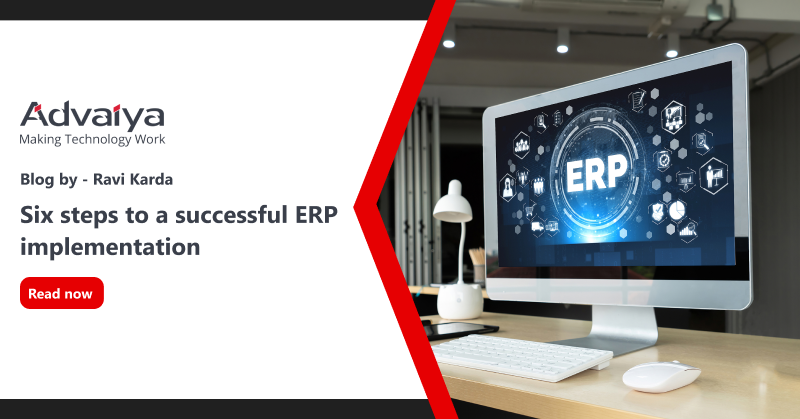
An enterprise resource planning or ERP implementation solution offers significant benefits, especially in today’s mobile-savvy marketplace & complex business processes. If your corporation needs a software suite to manage its financial, human resources, supply chain, and other business operations, a centralized and integrated comprehensive business management system like Microsoft Dynamics 365 Business Central may be the useful and advantageous choice to go to. Dynamics 365 ERP enables your organization to access a shared database on any device reliably and offers easy customization, reduced technical costs, and improved productivity. However, there are a few key phrases in the ERP adoption process, each with its own objectives. These phases could be distinct or overlap, depending on the specific requirements of the company. Successful ERP implementation & upgradation of new business processes Phases of an ERP implementation plan – A typical ERP implementation life cycle includes six stages starting from discovery and planning, design, development, testing, and deployment to support and updates. Phase 1: Discovery and planning ERP offers comprehensive solutions to a wide range of business problems. It’s important to determine the true reason for putting ERP into place for your company, though. Your ERP implementation partner assesses your existing systems and procedures to identify the requirements, project scope, milestones, and modifications required. Once your vision and requirements are identified, the implementation partner will prepare the project plan. Want information about our ERP solutions? Consult with our experts As per the study by Panorama, 61.1% of ERP implementations take longer than expected and 74.1% of ERP projects exceed the budget. Although the primary cause of delay and overbudgeting is unclear definitions of ERP implementation. The ERP features must be evaluated in accordance with the barometer of synchronization within the needs of the company. The ERP demand list should be created in accordance with the budget and fundamental requirements to ensure a seamless and obstacle-free ERP deployment. Phase 2: Design phase ERP deployment includes several goals, including improving financial control, supporting organic growth, mergers, and acquisitions, as well as other typical procedures. The team will work on the specific criteria here in order to create the precise design of the new ERP system that your business needs. This entails creating a new, more effective business procedure and workflow. Since they have the most detailed knowledge of the current business process, users must be involved in the design of the new workflow. Additionally, it will also ensure that they will accept and use the new ERP solution. Phase 3: Development The development teams put up the standard solution using agreed-upon configurations and customizations of the ERP solution to support the newly specified process after they had clear design requirements. ERP software is designed after a significant amount of research and according to the needs of the specific industry. In some cases, there may be no need for customization. Additionally, the development phase also entails creating integrations with other work management and business productivity tools that ERP systems won’t be able to replace. Phase 4: Testing Testing is an important phase of the implementation process, which takes care of system and user acceptance testing. In many cases, testing and development can occur concurrently. For instance, the team may test-specific modules and features while implementing fixes and adjustments based on test results or may test one module while the other is in development. Sometimes this phase also includes beta testing, where some employees test the system for their day-to-day activities. This process ensures the ERP solution meets the requirements and is ready for deployment. During the pilot testing, management must evaluate the realization of the value of the system against the desired value of the company. After the successful testing and ensuring the ERP readiness for deployment, data migration activity should be performed before go-live. Under this process, the data from the old system is mapped to the new ERP. To ensure a smooth transition and future use of the software, only the most essential data should be transferred, and great care should be taken to ensure the data will be retrieved from the software whenever required. Training is also the most important aspect of the ERP software implementation process. It ensures there are fewer issues and more success, especially when ERP is implemented for the first time in the company or when the platform is changed from one ERP solution to another. Phase 5: Deployment This is the phase you’ve been striving toward: the go-live date! This is the day when you can officially get started with your new ERP software. Be ready for problems because, despite your best attempts to prepare for them, there may be many moving pieces and confused staff. Your ERP implementation partner will give your staff the necessary instructions and directions to comprehend the system, and they’ll be on hand to respond to inquiries and try to resolve any problems. The majority of data will be moved in the development and test phase. However, other information such as current open transactions should be transferred immediately before it goes live. Phase 6: Support and updates As you become more accustomed to the software, you might need help to create a plan to scale up your ERP solution along with your business. After deployment, your ERP partner will help to keep you satisfied and ensure your business achieves the desired benefits. During this phase, your implementation team may still be in charge of the ERP solutions, but they will now be more concerned with gathering feedback and making necessary adjustments to the system. Some organizations aim to focus on specific high-priority modules or processes and add others later, thus, some additional development and configuration will be integrated into the system later whenever needed. Implementing an ERP solution is a big investment decision by the company involving a large number of resources, therefore, management must continuously maintain tabs on the ERP software and maintenance schedule. Bottom line – Successful implementation of ERP software requires a significant amount of time and effort. The
Microsoft launched the 2022 Release Wave 1 plan for Dynamics 365 Business Central

Microsoft has released the latest plan for enhancing and updating Dynamics 365 Business Central on April 1, 2022. The Business Central 2022 release wave 1 documents the list of features that are planned to release from April 2022 through September 2022, including the general availability of a Power Platform connector, country expansion, and Teams integration enhancements. However, some functionality may not be released as scheduled due to which certain features may not be released in defined timelines. So let’s take a look at what Microsoft has brought up with its Business Central 2022 Wave 1. But before heading to the feature enhancements, let’s first briefly introduce Microsoft Dynamics 365 Business Central. Microsoft Dynamics 365 Business Central is comprehensive business management, a.k.a. ERP (enterprise resource planning) solution offered by Microsoft for small and mid-sized organizations. It allows businesses to automate and streamlines their business process to produce and maximizes their profit. Business Central was released publicly On April 2, 2018. While bringing Dynamics 365 Online, Microsoft announced a semi-annual feature update model that will release in April and October. In this year’s April release, Microsoft introduced many features. Here are a few highlights from 2022 release wave 1: Application – In 2022 release wave 1, business central’s supply chain and finance capabilities are improved based on the most popular requests for improvement. Better with Microsoft 365 – Microsoft also improved the collaboration on business central data in Microsoft teams and invested in stronger reporting, including better integration with Excel, Enhancements to Microsoft Teams integration, Outlook add-ins popout window enhancements, add email attachments to Business Central records, OneDrive file sharing. Country and regional – In 2022 release wave 1, Microsoft brought the availability of Business Central to over 70 countries. Development – Microsoft continues to invest in enhancing tooling capabilities for developers, including stronger AL language, new Telemetry features, and other tooling capabilities. Governance and administration – In 2022 release wave 1, Business Central delivers the new governance and administration features to help IT professionals and administrators to set up managed licensing and permissions. Microsoft Power Platform – In 2022 release wave 1, Microsoft improves the integration with Microsoft Dataverse. Power Automate capabilities with the newly available Microsoft Power Platform connector are also improved, making it easier to automate workflow directly from Business Central pages. Modern clients – Improvements to the portfolio of clients with the goal of improving usability, accessibility, performance, and stability with features like – copy link from Share menu, new desktop app delivering full web client experience on desktop is listed in the Microsoft Store, control add-in resiliency, usability improvements to the web client. Simplified customer onboarding – Onboarding is one of the keys focuses in every release wave. Dynamics 365 Business Central continues to simplify and fasten the customer onboarding experience by providing an option for guided introduction to personalize their system, increase productivity, and process adoption. Reporting – Reporting is one of the main features for every business user from both perspectives to get insight into new growth opportunities to share data as a foundation for business planning discussions. In Business Central 2022 release wave 1, Microsoft added the new capabilities for financial reporting with account schedules, new pages for report layout administration, and a new excel design layout feature. Service and platform – The 2022 release wave 1 offers better performance and support-related enhancements to keep Microsoft Business Central a dependable service and platform for you to run your business regardless of the small or midsized business (SMB) industry type. For more information about Dynamics 365 Business Central Release Wave 1 2022, visit the Microsoft blog. Also read: 8 reasons Dynamics 365 Business Central is the right business management solution for your business Kirti Sethiya Kirti, Senior Consultant at Advaiya, is a technology enthusiast specialized in business applications and analytics. She has been an integral part of Advaiya for over seven years, contributing to myriad deliverables involving business intelligence, technology marketing, and business consulting.
8 reasons Dynamics 365 Business Central is the right business management solution for your business

Is Dynamics 365 Business Central right for you? Want to know whether it is right for your business or not? Let us get familiar with Dynamics 365 Business Central and its advantage to help you make the right decision. What is Dynamics 365 Business Central? Microsoft’s latest business management solution for small and medium enterprises is Dynamics 365 Business Central. D365 Business Central is a cloud-based ERP (Enterprise Resource Planning) facilizing every user can access ERP through any device anywhere in the world. It is accounting software to manage critical business functions, including finance, operations, sales, payments, dues, inventory, purchases, and customer service. It can also be easily integrated with other Dynamics 365 applications, which can help you scale your business further. It originated from Microsoft Dynamics Navision, which further evolved into D365 Business Central. Business central comes with multiple Microsoft integration such as Office 365 PowerApps, Field Services, and Power BI (Business Intelligence). Additionally, Business Central provides you with a two-way sync as a bonus. Business Central is the most cost-effective ERP in its segment, and it is a viable option for a cloud-based ERP solution. Let us now check how Business Central can streamline your business: Reason #1 Customer Relationship Management (CRM) The CRM feature of Business Central helps you to keep a healthy relationship with your customer. It helps you look at customer sales and provides the right quotation. Best decision making at right time is always a better practice in Sales and marketing, Business Central always helps to provide a timely overview to your contact and customer for their satisfaction. With Business Central, you can do contact management, opportunity management, campaign pricing, and many more. In a business system, it is essential to get a 360-degree view from the customer’s perspective. This can help to determine the correct approach for successful purchasing and holding the client., Reason #2 Easy way to investigate with sales and receivables Business Central helps you keep a hold of your sales data through their sales quote, sales orders, and sales invoices. It even provides an opportunity feature to keep investigating your new feasible customer. Also, it gives a campaign method to attract more customers. Through the Sales sales posting option, you can investigate how many Items were shipped and invoiced, also you can keep track of how many items are shipped or not yet shipped and how many invoiced must be raised. In Business Central you can also keep a record of the number of items returned and their reason. With Business Central you can provide a discount to the customer or provide a special discount based on set criteria based on the amount or quantity purchased. Reason #3 Able to handle vendor purchase & its payable In Business Central, handling vendors is more convenient. With the help of Business central, we can make a purchase order to the vendor whenever we find it short on inventory. We can always make the inventory adjustment with the Purchase order and Purchase Invoices. We can also return the item if the product is found to be wrongly placed or damaged. Based on the Invoices, we can also move to the paying part of the vendor to pay the vendor for its service. We can also keep track of all the discounts that can be available on our order. With Business Central, you can create an overview of the company’s purchases and make the daily buying routines clear and manageable. You also get instant access to an overview of your suppliers’ purchase history, outstanding orders, and trade statistics. Reason #4 Easy to track payments and dues With Business Central you can keep a log of all the payments that are done or are due and or those payments that need to be made in the future with all the payment data, we can send the receipt to the customer or vendor. Also, we can send a reminder to the customer to pay the due amount. With the help of the payment log, we can see where we are getting more profit and where we have fewer sales. Payment posting is the simplest thing that we get in Business Central. With the help of vendor payment and cash receipt journal, we can easily maintain all the payments from customer and vendor. Reason #5 Reporting & user-friendly dashboards Reports are the main aspect in the ERP world. With the help of Business Central, we can do the reporting at such an excellent level where we can do multiple things like chequeCheck printing, taking taking customer statements, take out the receipt, getting the tax iInvoice, and many more. In Business Central you can take out the data in multiple formats like PDF, EXCEL, WORD. Business Central also provides dashboards where you can see the graphical representation of your data like your purchases till date, sales till date, profit area, etc. As Business Central supports integration so we can take the Business Central data in Power BI and provide a more attractive dashboard and graphical orientation to the customer. Reason #6 Communication & HR (Human resource) management In Business Central, you get enhanced eEmail sending capabilities. Through the email Sending facility, you can send the invoice directly to the customer or vendor to their respective email ID. You can also send the reminder mail or the custom mail according to your need. Even we can schedule mail based on day, week, or month so users do not have to come to the system, schedule email will automatically send by Business Central. Business Central provides human resources functionality, so you keep the details of your employee, their record of accomplishment, manage salary, leaves, employment contract, and employee code. Reason #7 Track of item and its inventory With Business Central, keeping track of items and its inventory is easier. We can easily record of accomplishment of iItem, we can see which item is getting more demand, and if have a shortage of supply for any item. We get the notification and then we can order accordingly through the business central.